AI Fashion Photography Glossary
Clear definitions of the terms fashion brands and e-commerce teams use for product photos, AI models, styling, and fashion video.
Fashion photography
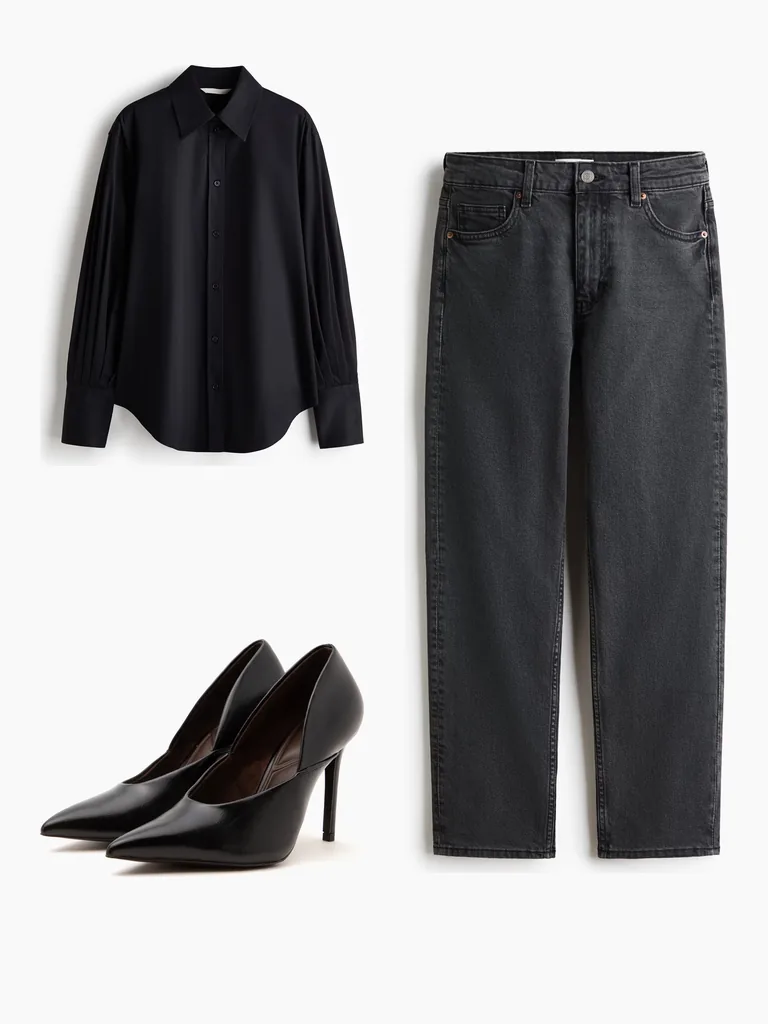
Flat lay photography
Clothing laid flat on a clean surface and photographed from above. Quicker and more affordable than on-model photos, and great for showing color, print, and details.
Read more →Ghost mannequin photography
Clothing shot on a mannequin that's removed in editing, so the garment keeps its shape as if worn by an invisible body. Also called invisible mannequin.
Read more →Editorial fashion photography
Styled photos that tell a story or set a mood, like the shoots in magazines and brand campaigns. The focus is the look, not just the product.
Read more →Packshot
A clean, simple photo of a product on a plain background, the kind you see on marketplaces. Also called a product shot.
Read more →Apparel product photography
Any photo made to sell clothing online, whether it's on a model, on a mannequin, or laid flat.
Read more →Catalog photography
Consistent photos of every item in a collection, on a model, a mannequin, or a plain background, so products are easy to compare.
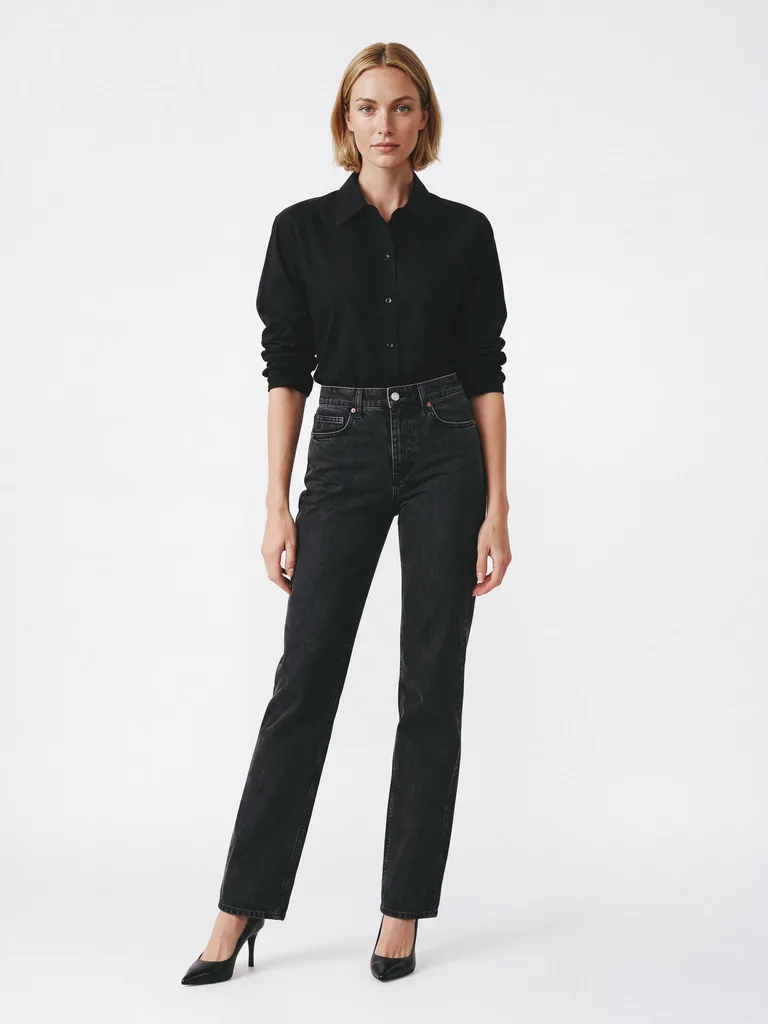
Read more →On-model photography
Product photos of clothing worn by a model, so shoppers can see the fit, length, and how the fabric falls.
See the feature →Cyclorama
A curved studio backdrop with no visible corners, so the background seems to go on forever. Fashion and product studios use it for clean catalog and e-commerce shots. Also called a cyc wall.
Street style photography
Candid photos of people in their own outfits on the street, often around fashion weeks. Brands use them for inspiration and to see how clothes are worn in real life.
AI imaging
AI fashion model
A realistic, AI-generated model who wears your clothes in product and campaign images, with no casting or photoshoot.
See the feature →Flat lay to on-model
Taking a flat lay photo and turning it into a photo of the same garment worn by a model.
See the feature →Mannequin to on-model
Taking a photo of a garment on a mannequin and turning it into a photo of a model wearing it.
See the feature →Street to on-model
Taking an outfit from a street-style photo and showing it on a model in a clean studio shot.
See the feature →Virtual photoshoot
A photoshoot done digitally, with no studio, photographer, or model on set. The model, pose, and background are all created with software.
Generative AI in fashion
AI that creates new content for fashion brands, such as product photos, model images, videos, or design ideas, from existing photos or text.
Batch processing
Creating photos for a whole collection at once instead of one product at a time. Useful when a new season or drop has dozens of pieces.
Styling
Garment styling & length control
Choosing how clothes are worn in AI photos: tucked in or untucked, sleeves down, pushed up, or rolled, the front open or closed, and pant hems rolled up.
See the feature →Hemline
Where the bottom edge of a garment falls, like at the knee or ankle. It changes how long a skirt, dress, or pair of pants looks.
French tuck
Tucking just the front of a shirt or sweater into the waistband and leaving the back out. It shows the waist but still looks relaxed. Also called a half tuck.
Rolled sleeves
Sleeves folded up in neat turns to the forearm or elbow. Pushed-up sleeves are the looser, more casual version.
Rolled hem
Pants or jeans with the hem folded up two or three times so the ankles show. Often called cuffing, as in cuffed jeans.
Open front
A jacket, shirt, or cardigan worn unbuttoned or unzipped, so the layer underneath shows.
Fashion video
AI fashion video
A short clip of a model wearing a garment, made with AI from a still photo, so shoppers can see how it moves.
See the feature →Image to video
AI that brings a still photo to life by adding movement, like a model walking or turning.
E-commerce
Product detail page (PDP)
The page in an online store dedicated to one product, with its photos, price, sizes, and description. It's where shoppers check whether a product is right for them.
Read more →Lookbook
A set of styled photos that presents a brand's new collection or overall style. Brands use it to inspire customers and to show the collection to buyers and press.
Read more →Visual commerce
Selling with images and video instead of relying on text, from product photos to shoppable social posts.
Turn Your Flat Lays Into On-Model Photos
Start with 5 free credits and see your own products on a model.